A little space
for later.
Notch Now is a Mac notch app for saving files, links, images and text for later. Drop something into your inbox, add a note or reminder when you need one, and carry on with what you were doing.

How it works.
As a drag nears the top of the screen, the tray opens to meet it. Drop, and it’s written to disk before the tick appears. Copied something instead? Press ⌃⌥V.
The notch shows a count and nothing else. No window to close, no notification, no tab left open. Your document is exactly where you left it.
Hover to peek, press Space to preview, Return to open the original. Add a note so you know where to pick up, or press L and it comes back to the top of the inbox when it’s due.
Work things.
Life things.
Files, links, images and text, from any app, in under a second. Here is what people leave there.
-
Q3 brand review.pdf The attachment, parked until after the meeting.
Drag the PDF from Mail or Finder up to the notch. It’s linked to the original, so later edits are included, and a note tells you where to pick up.
-
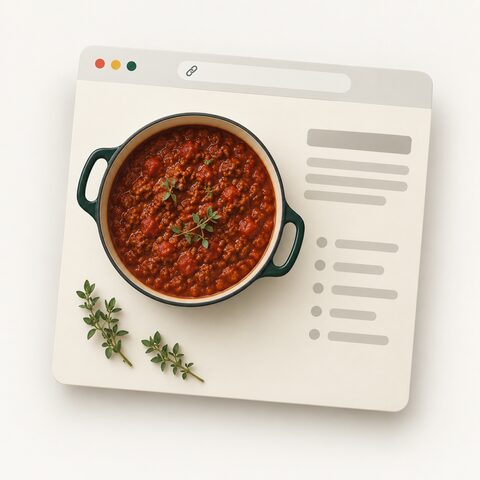
Slow-cooker ragù A link for tonight, without another tab.
Copy the recipe’s address and press ⌃⌥V, then close the tab. This evening, hover the notch and press Return.
-
Stack trace A bug report for tomorrow morning.
Select the stack trace in Terminal or Slack, right-click › Services › Save to Notch Now, then press L. It comes back to the top of the inbox when it’s due.
-
Cut paragraph The paragraph you cut but might want.
⌃⌥V keeps the text. ⌘F finds it later, E edits it in place, and dragging the row back into the draft pastes it where it fits.
-

Coastal light.jpg A reference image, mid-layout.
Drag the image straight from the browser. Space opens a Quick Look, and the note is waiting in the row when you come back.
-
Gift for Mum Mum. The blue linen one.
Select the words and press ⌃⌥V, or save from Shortcuts or Raycast with a
notchnow://link. Tick Done when it’s bought; it stays recoverable until you empty Done items.
Open it from any app.
⌃⌥Space opens the inbox on the display your pointer is on. ⌃⌥V saves what you’ve just copied. Both are recordable in Settings.
SpaceQuick Look
ReturnOpen the original
NAdd a note
All shortcuts
- Open the inbox on the pointer’s display, or close it
- ⌃⌥Space
- Save copied content from another app
- ⌃⌥V
- Paste into the open tray
- ⌘V
- Select an item, including open Later and Done sections
- ↑ ↓
- Quick Look (again to close)
- Space
- Add a note (Return saves)
- N
- Edit a text item
- E
- Filter (Escape clears)
- ⌘F or /
- Open the selection
- Return or ⌘O
- Copy the selection for pasting elsewhere
- ⌘C
- First or last item
- Home End
- Done (moves to the Done list; undoable)
- Delete
- Delete (undoable for a few seconds)
- ⌘⌫
- Remind me later
- L
- Undo the last Done or Delete
- ⌘Z
- Close the tray or preview
- Esc or ⌘W
Shortcuts in the native app. Both capture shortcuts can be re-recorded in Settings › General.
On your Mac.
And only your Mac.
No account to create. No cloud to sync. Nothing you save is uploaded.

~/Library/Application Support/Notch Now- Saved means saved.
- Written to disk before you see the tick. Your originals are never moved, changed or deleted.
- You choose what to save.
- No Accessibility, Automation or Screen Recording access. The clipboard is read only when you choose to save or paste. Reminder banners use optional notification permission.
- Undo, even after a restart.
- Done items stay recoverable until you choose Empty Done Items… in Settings › Storage. Delete gives you a few seconds to change your mind.
Specs.
Made for Apple Silicon Macs on macOS 14 or later. A notch is not required.
- Displays
- Around the camera on a notched display. A small tray at the top centre of every other screen, or hidden until you open it from the menu bar or the shortcut.
- What it takes
- Files up to 250 MB. PNG and TIFF clipboard images up to 25 MB. Text up to 1 MB. HTTP, HTTPS and mailto links. Up to 50 items in one drop, with notes up to 4 KB.
- Files
- Files in stable places are linked to the original. Files from temporary places, the Trash or external drives are copied so they can’t disappear. Settings › Storage can always copy instead.
- From other apps
- Right-click › Services › Save to Notch Now. Shortcuts, Raycast, Alfred and scripts can open
notchnow://save?text=…or?url=…. - Network
- The app goes online only when you choose Check for Updates…. Nothing else is sent or fetched.
- Accessibility
- Full keyboard operation, optional trackpad feedback, and support for Reduce Motion, Reduce Transparency and Increase Contrast.
- Not supported yet
- App packages, and email attachments that haven’t been saved to disk. Formatting in saved text isn’t kept.
Does my Mac need a notch?
No. On a notched display, Notch Now sits around the camera. On other displays, the tray opens from the top centre of the screen.
Is anything uploaded?
No. Everything stays on your Mac, private to your macOS user account. Local storage isn’t separately encrypted.
What if the original file goes missing?
If the file was linked, its row says so instead of failing quietly. Files from temporary places or external drives are copied, so those stay. You can also choose to always copy files in Settings.
Can I get something back?
Yes. ⌘Z undoes the last Done or Delete. Done items stay in a Done section, even after a relaunch, until you choose Empty Done Items… in Settings › Storage.
Can I download it yet?
Not yet. Notch Now is in development. What you see on this page is the app’s own design with sample items.
Coming to Apple Silicon Macs.
In development
Notch Now is in development for macOS 14 and later. There’s no download yet.